Custom Icons For Grant
Set a custom icon
You can set a custom icon for the Mac app. All you have to do:
- Download the app icon of your choice below.
- Go to the Applications folder on your Mac.
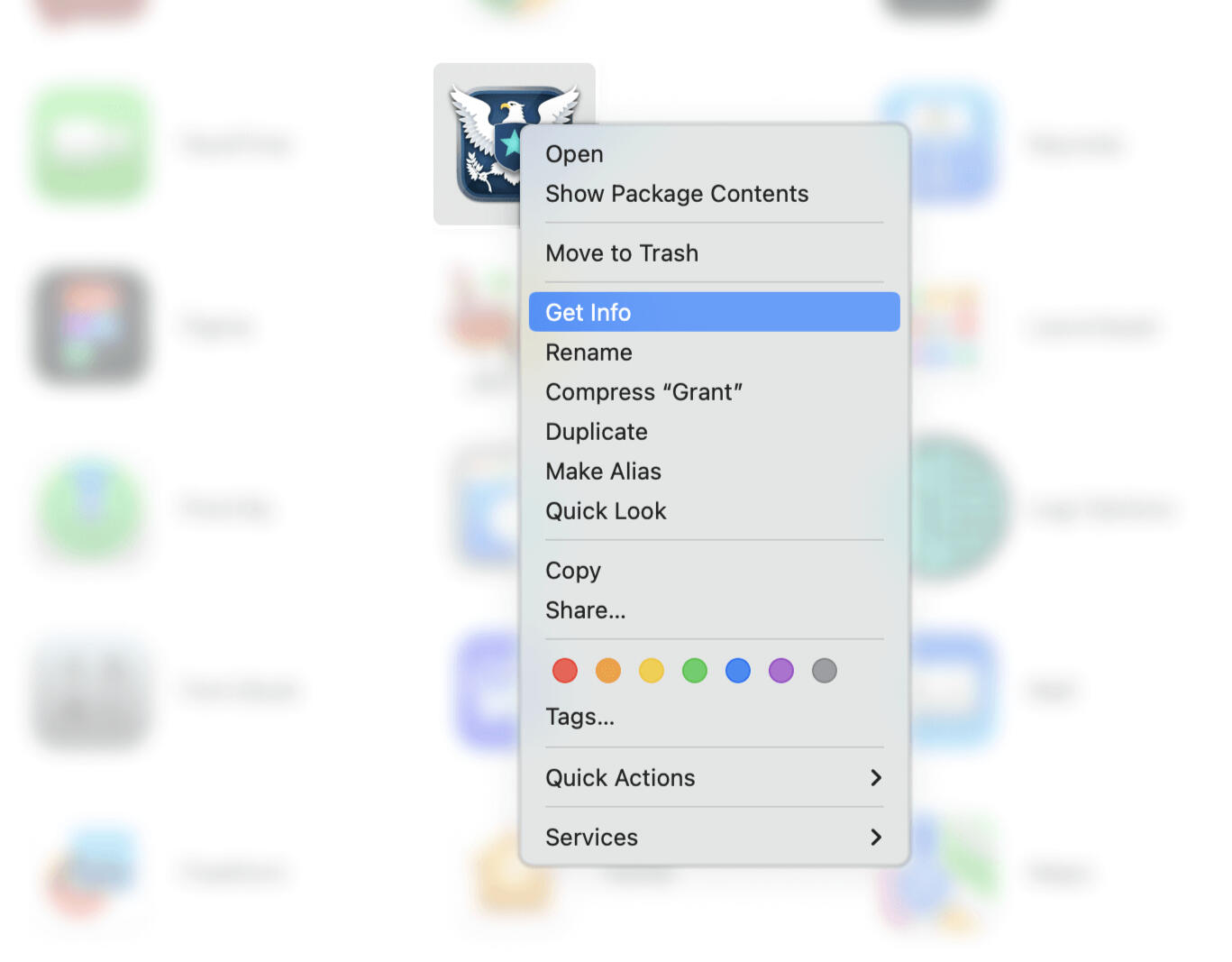
- Right-click Grant.
- Pick Get Info.
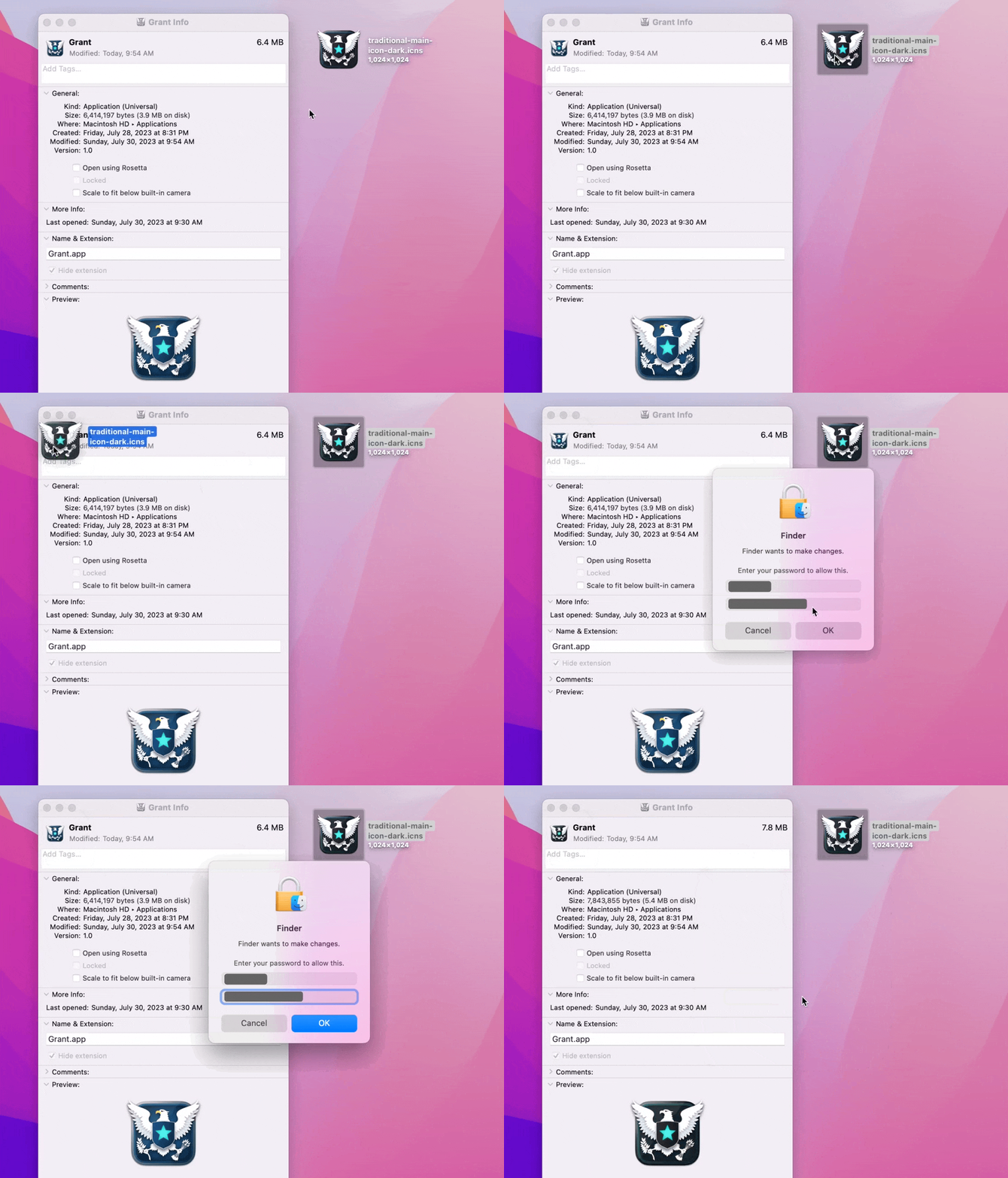
- Drag and drop the .icns file onto the small Grant logo.
- If Grant was open, quit and reopen the app.
Choose an icon
 Download
 Download
 Download
 Download
 Download
 Download
 Download
 Download
 Download
Delete a custom icon
If you want to reset your icon, you can do that easily too:
- Go to the Applications folder on your Mac.
- Right-click Grant.
- Pick Get Info.
- Click the App Icon in the top-left corner.
- Press Delete.